How to Make a Zombie Love Story AI Video for TikTok
Turn two photos into a short zombie romance for TikTok. One person stays human, they embrace, and the dark scene becomes a warm memory.
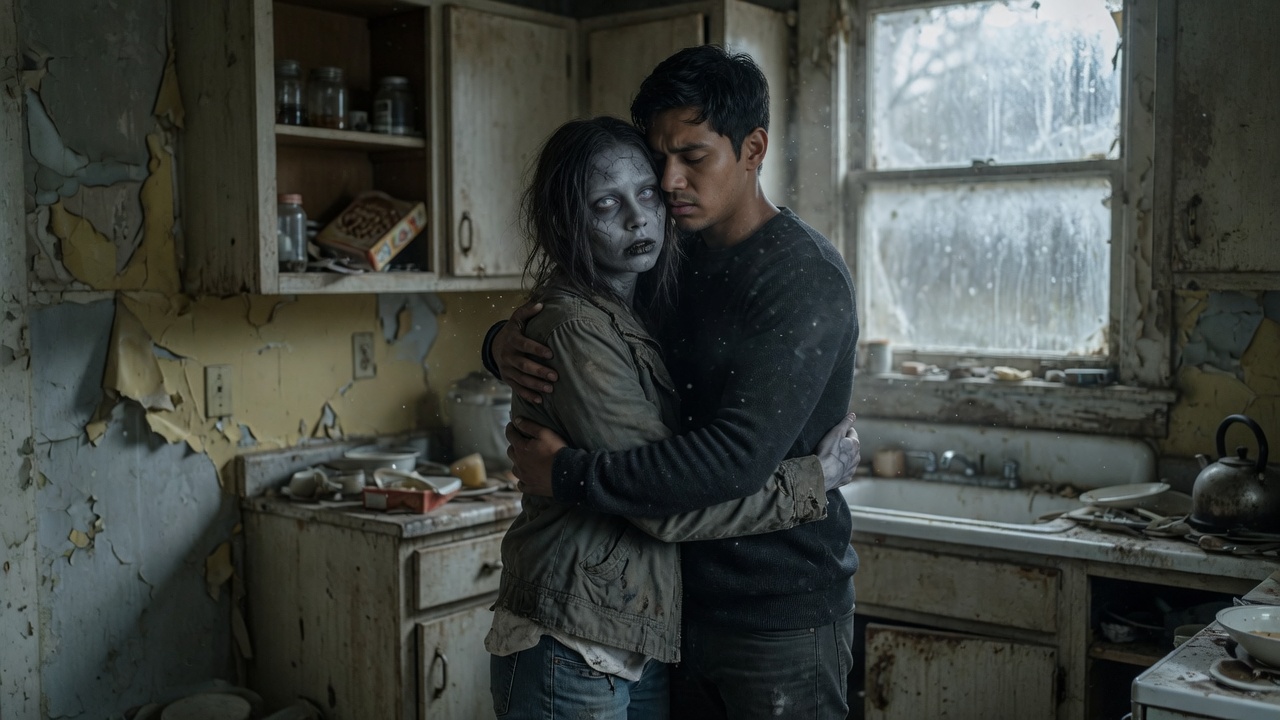
Have you seen those videos where someone meets their loved one in a zombie apocalypse, runs toward them, and gives them a hug? Just when the scene feels dark and hopeless, the video cuts to a warm, sunny memory of the couple together.
That’s the idea behind the Zombie Love Story AI trend.
The videos look like scenes from a short romantic movie, but you don’t need a camera, actors, or editing experience to make one. With a couple of photos and an AI video generator, you can create your own version in just a few steps.
What Is Zombie Love Story AI?
Zombie Love Story AI is a photo-to-video trend that turns two people into characters in a zombie romance story.
The typical video follows a simple plot. One person appears as a zombie, while the other encounters them in a post-apocalyptic setting. Instead of running away, the survivor recognizes their loved one and embraces them. The scene then switches to a happier moment, often in a sunny field or another peaceful setting.
The contrast is what makes the video interesting. It starts like a horror movie and ends like a romantic memory.
People use the effect to make videos featuring partners, friends, or other people they care about. The finished clip also works well as a short TikTok or Instagram Reel.
Where Can You Make a Zombie Love Story AI Video?
If you want the quickest way to try the trend, start with ZombieLoveStory.io.
It’s a dedicated website to check out if you want to create this particular style of video rather than build the entire story yourself with a general-purpose AI video tool.
Open the website and look for the photo-upload and video-generation options. Follow the instructions on the page, then check the available pricing and download options before generating your video.
The exact features may change, so it’s worth checking what the site currently offers.
How to Make Your Own Zombie Love Story Video
1. Choose two good photos
Start with a clear photo of each person you want to include in the story.
Photos where the faces are easy to see tend to be a better starting point. Avoid heavily filtered images, sunglasses, and photos where the face is partly hidden.
You don't need professional portraits. Ordinary photos can work, provided the generator supports them and the faces are clear enough.
If you're making a video with your partner, decide whose character should appear as the zombie and whose should appear as the survivor, if the tool lets you choose.
2. Upload the photos
Go to ZombieLoveStory.io and follow its upload instructions.
If the website provides character settings, check them before continuing. Don't assume that every generator uses the same photo order or character assignment.
3. Generate the video
Choose the available story or style options and start generating.
The generator may handle the main scenes automatically, so you won't necessarily need to write a detailed prompt or edit each shot yourself.
Once the video is ready, watch it from beginning to end. Check whether both people still look recognizable, whether the embrace looks natural, and whether the transition to the final scene works.
4. Save the finished video
If you're happy with the result, download it using the site's export option.
For TikTok, a vertical 9:16 video is usually the most convenient format. If the generator doesn't offer the format you need, you can crop the video in a video editor before posting.
How to Make the Video More Interesting on TikTok
Generating the video is only half the job. The way you present it can make a difference, too.
Start with the most interesting moment
Don't spend the first few seconds explaining what the video is about. Show the zombie encounter or the moment the survivor recognizes the other person.
You can add a short caption such as:
Would you still love me if I became a zombie?
It gives viewers a reason to watch and fits the story without explaining everything in advance.
Make the ending count
The transition from a dark, abandoned setting to a warm, happy memory is one of the most important parts of this format.
If you're editing the video yourself, try timing the change of scene to the strongest part of the music. A sudden shift from a frightening scene to a romantic embrace can make the ending feel more emotional.
Keep the video short
A 15-second edit is a reasonable starting point for this kind of story. You could spend the first three seconds on the encounter, the next four on recognition, and the remaining time on the hug and final memory.
Treat that timing as a starting point, not a strict rule. If the generator already creates a complete story, there's no need to force it into a shorter format if doing so ruins the scene.
Choose music that fits
Music can change the entire mood of the video. A dramatic opening followed by a softer, emotional section can make the transition more effective.
Check TikTok's music library for sounds that suit the clip. Trends change frequently, so it's better to choose something that fits the video than to use a popular sound that doesn't match the story.
Try different captions
You don't need a long description. A short line that adds a little emotion or curiosity is often enough.
Here are two examples:
- "The world ended, but I still found you."
- "Even as a zombie, you're still my favorite person."
You can test different captions on separate videos and see which ones get more meaningful engagement.
Of course, no editing trick or caption can guarantee that a video will go viral. The aim is to make the story easy to understand and worth watching until the end.
A TikTok Caption You Can Use
Here's a simple caption for your first post:
POV: The world ended, but I still chose you. 🧟♂️❤️
Would you still love me if I became a zombie?
#ZombieLoveStory #AIVideo #ZombieTrend #CoupleGoals
If the video looks realistic, follow TikTok's current requirements for labeling AI-generated content.
Frequently Asked Questions
Can I use my own photos?
Yes, if the generator supports photo uploads. Clear portraits are a good place to start. If you're using someone else's photo, get their permission first.
Do I need video-editing skills?
Not necessarily. A dedicated Zombie Love Story generator may create the main story for you. You can use a separate editor if you want to adjust the timing, add captions, or change the music.
Can I make a Zombie Love Story AI video for free?
That depends on the website. Some AI tools offer free credits or limited previews, while others charge for generation or downloads. Check the current pricing before uploading your photos or purchasing credits.
How long does it take to make one?
The process can be quite simple if the website provides a ready-made story. You'll still need time to upload your photos, wait for generation, and check the result. Actual processing time depends on the tool and its current workload.
Will my video go viral on TikTok?
There's no guarantee. The format gives you a clear story to work with, but the result also depends on the video itself, the opening, the audience, and how people respond to it.
Rather than trying to predict a viral result, make a first version and see where viewers lose interest or leave comments. Use that feedback to improve the next one.
Final Thoughts
Zombie Love Story AI is a fun way to turn ordinary photos into a short story with a horror-movie setting and a romantic ending.
If you want to try it without spending time on complicated prompts or manual editing, start with ZombieLoveStory.io and see what its current generator can do.
Choose two clear photos, check the available settings, and pay attention to the final scene. That's a good starting point for making your own version of the trend and adapting it for TikTok.
You don't need to get everything perfect on the first try. Make one, see how it looks, and experiment from there.